

Buying signals checklist
13 signals that show someone is ready to talk, and how to use them. 4 pages.
Open the pageFunkel AI partner kit
Product images, videos, lead magnets, story angles, a recording guide and copy you can post today. Replace {link} with your own link (see below).
The ZIP has the images, banners, logos, the product PDF, both guides and the copy. Download the videos and lead magnets below.
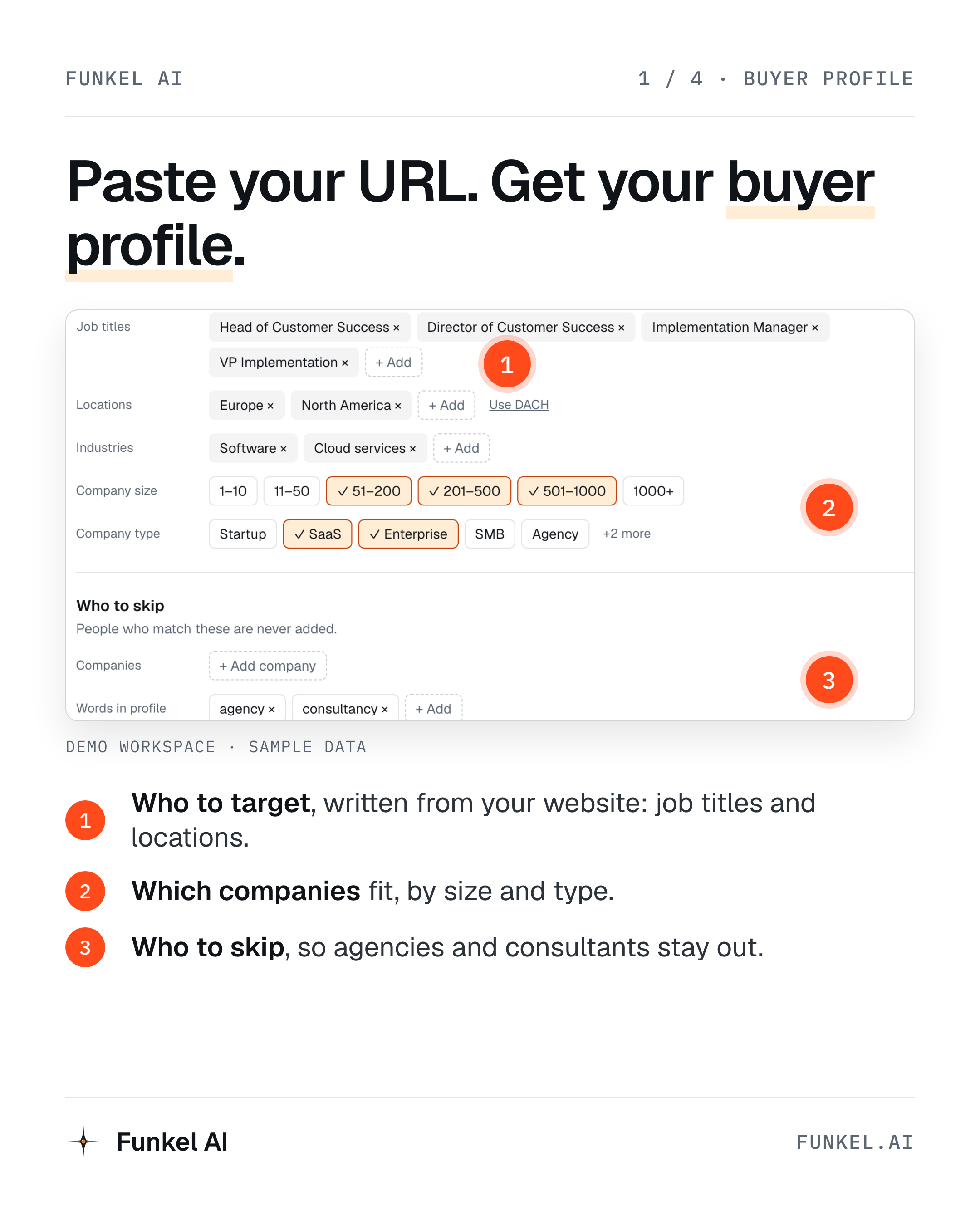
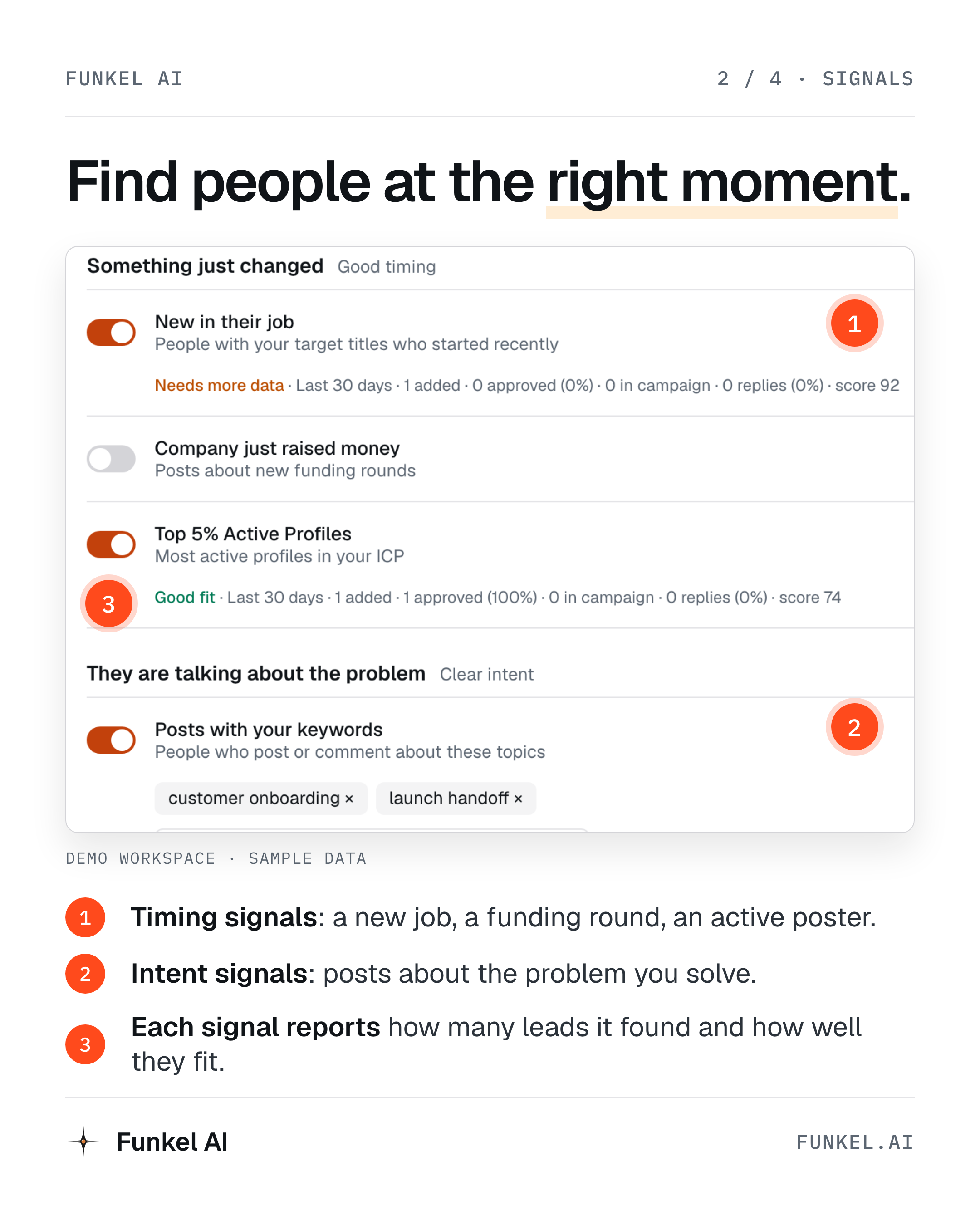
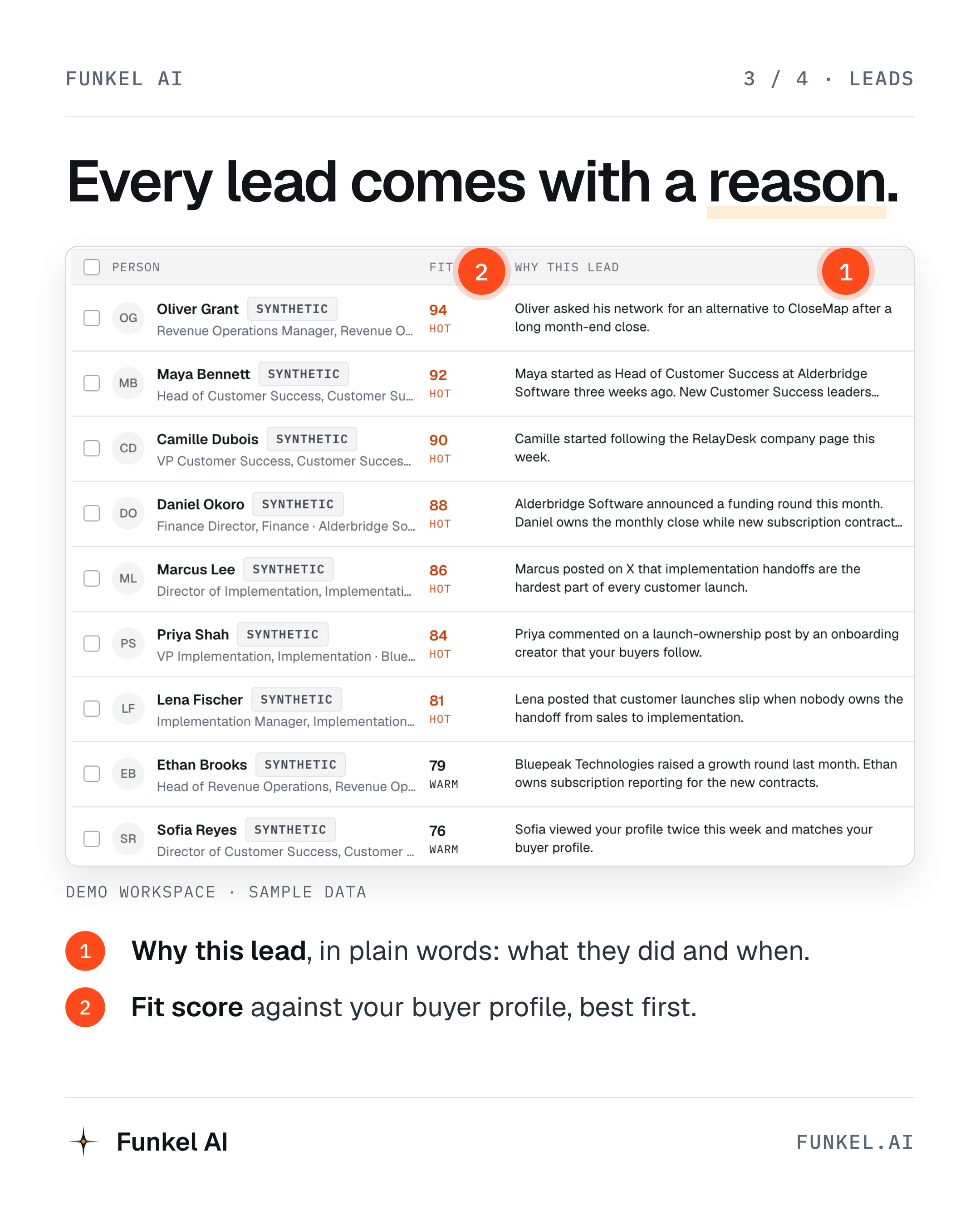
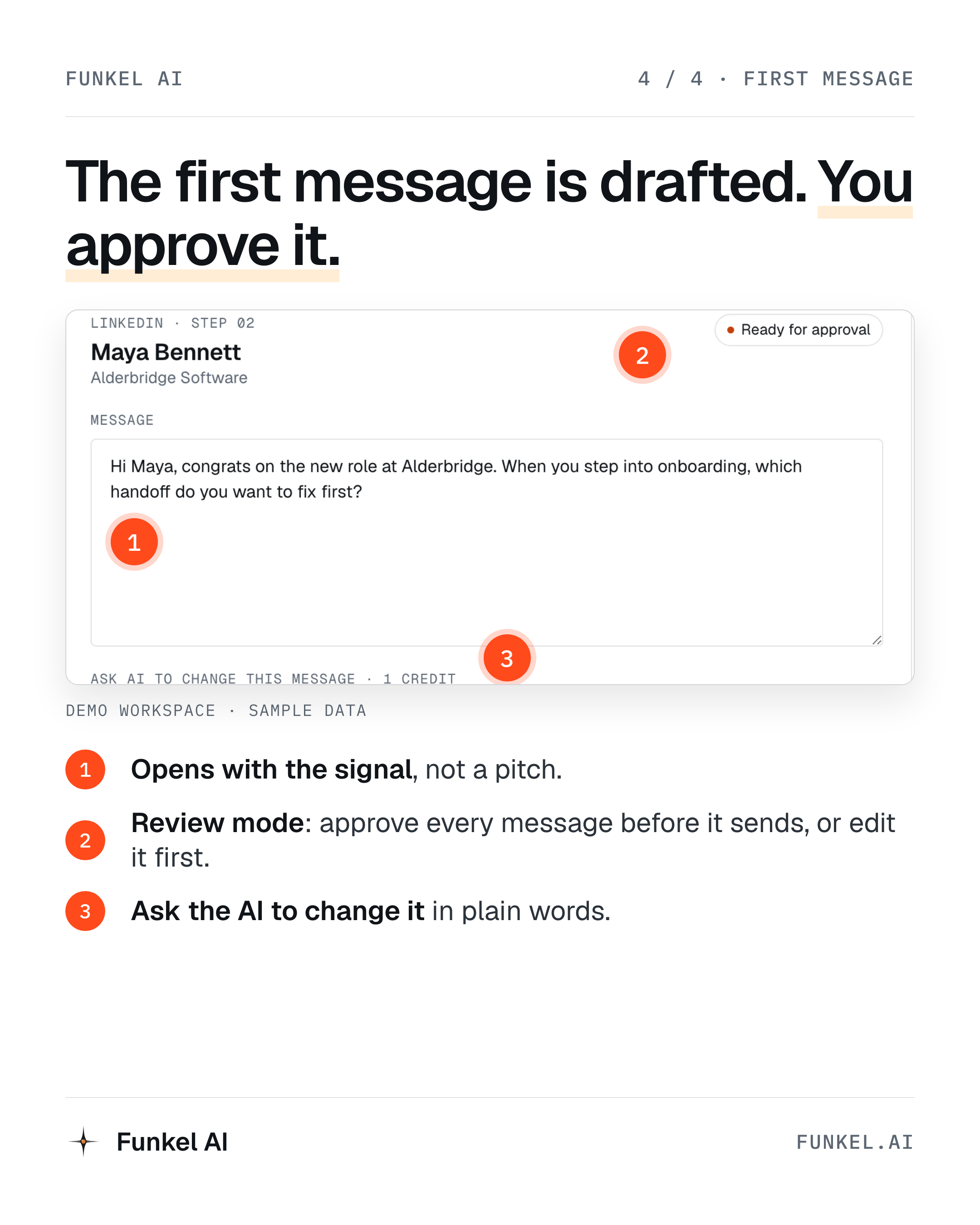
Annotated screens from the Demo workspace (sample data). All 4 as one PDF.
Most are recorded in the Demo workspace with sample data. “ChatGPT + Funkel AI” shows a real search, with names blurred. Post them as they are, or use them as a reference for your own recording. Two videos also come in 9:16 for Reels, TikTok and Shorts.
Short outbound tips with voice-over, for Reels, TikTok and Shorts.
Free PDFs that you can give to your readers, for example in a newsletter or as a “comment to get it” post. Link to the page, not the PDF file. Add your tracking parameters to the page link, and sign-ups from the page still count for you.
13 signals that show someone is ready to talk, and how to use them. 4 pages.
Open the page6 first lines, one for each buying signal. They open with the reason, not a pitch. 2 pages.
Open the page8 questions to answer before any campaign, to define who to target. 3 pages.
Open the pageWrite the name as “Funkel AI”. Do not change the colors or stretch the logo. Orange is an accent color, not a full background.
Each creator gets a different angle, so our posts do not repeat each other. Your brief tells you which one is yours. If you see a better angle for your audience, tell us.
Angle 1
Timing beats volume. A list tells you who fits. A buying signal tells you why now: a new role, new funding, a post about the problem.
Angle 2
You built the product, and now you also must find customers, write messages and remember every follow-up. Funkel AI does the busywork, and you have the conversations.
Angle 3
People post when a tool lets them down: “Looking for an alternative to X.” Funkel AI finds these posts and the people who write them.
Angle 4
Many AI tools send thousands of generic messages that nobody answers. Funkel AI writes only when there is a reason, and the first message opens with that reason.
Angle 5
Connect Claude to Funkel AI and ask it in plain words to find customers. Claude searches LinkedIn through Funkel AI and shows real people.
To connect Claude, follow the setup guide.
The Demo workspace has sample companies, leads and messages, so you can record without any setup. Every sample lead has a “SYNTHETIC” label.
Changes in the Demo are not saved, and some buttons are simulated. Present it as a walkthrough, for example: “This is the Demo workspace with sample data.”
Disclosure: say that you earn a commission. For example: “I’m a Funkel AI partner and earn a commission if you sign up.”
B2B founders who do their own sales, small agencies and consultants who run outreach, and small sales teams that want signals instead of cold lists.
$99 a month. Money back if Funkel AI finds no leads that match your buyer profile in 30 days. (Standard plan only. Use this exact wording.)
Nothing sends until you turn it on. You can approve every message.
Funkel AI paces LinkedIn activity to look like normal use: a 14-day warm-up and weekly limits spread over business days. Do not say that an account is “safe” or “can’t be restricted”.
A database gives you a list of people who fit. Funkel AI starts from a buying signal, so every lead comes with a reason to contact them now, and the first message uses that reason.
LinkedIn, email and X. It follows up by email when there is no answer on LinkedIn.
About 5 minutes. Paste your website URL and Funkel AI writes the buyer profile.
Funkel AI is built and hosted in the EU.
Edit freely to match your voice. Keep the disclosure line and do not add claims that are not listed above.
I stopped buying lead lists this quarter.

A list tells you who fits. It does not tell you who is ready to talk.

Funkel AI watches for buying signals instead: a new role, fresh funding, someone asking for an alternative to a competitor, someone who viewed my profile and fits my buyer. Then it writes the first message from that reason.

Setup took about 5 minutes. I pasted my website URL and it wrote the buyer profile.

Nothing sends until you turn it on.

Try it: {link}

(I'm a Funkel AI partner and earn a commission if you sign up.)If you run outbound for clients, the hard part is not sending. It is knowing who to send to this week.
Funkel AI finds people from 13 buying signals and keeps the reason with every lead. So the first message starts with "saw your post about X", not "hope this finds you well".
LinkedIn, email and X in one place. Follow-up by email when LinkedIn goes quiet. Pacing built in: a 14-day warm-up and weekly limits spread over business days.
{link}
(Partner link. I earn a commission.)Your SDRs should not spend the morning building lists.
Funkel AI does the research step: it watches 13 buying signals, matches each person to your buyer profile, and drafts a first message based on why they showed up. Reps review and approve.
Worth a look if your reply rates are falling: {link}
(I'm a Funkel AI partner and earn a commission.)A cold list tells you who. A buying signal tells you when.
Funkel AI watches 13 of them (new role, fresh funding, "looking for an alternative" posts) and writes the first message from the signal.
{link} (partner link)Paste your website URL. Get a buyer profile, the signals to watch, and a first message draft in about 5 minutes.
Nothing sends until you turn it on.
{link} (partner link)Best outbound advice I know: open with the reason, ask one question, no pitch.
Funkel AI builds every first message that way, from the signal that found the lead.
{link} (partner link)Subject: a better way to find people ready to buy
Hi {name},
You mentioned outbound is slow right now. I have been using Funkel AI. Instead of a cold list, it finds people from buying signals, like a new role or a post asking for an alternative to a competitor, and writes the first message from that reason.
Setup is about 5 minutes, and nothing sends until you turn it on.
Here is my link if you want to try it: {link}
(It is a partner link, so I earn a commission.)
{your name}Tool of the week: Funkel AI
Funkel AI finds B2B buyers at the moment they are ready to talk. It watches 13 buying signals on LinkedIn, X and Hacker News, then writes and sends the outreach on LinkedIn, email and X. You approve before anything sends. $99 a month, with money back if it finds no leads that match your buyer profile in 30 days.
Try it: {link} (affiliate link)
