01
Find the winning campaign
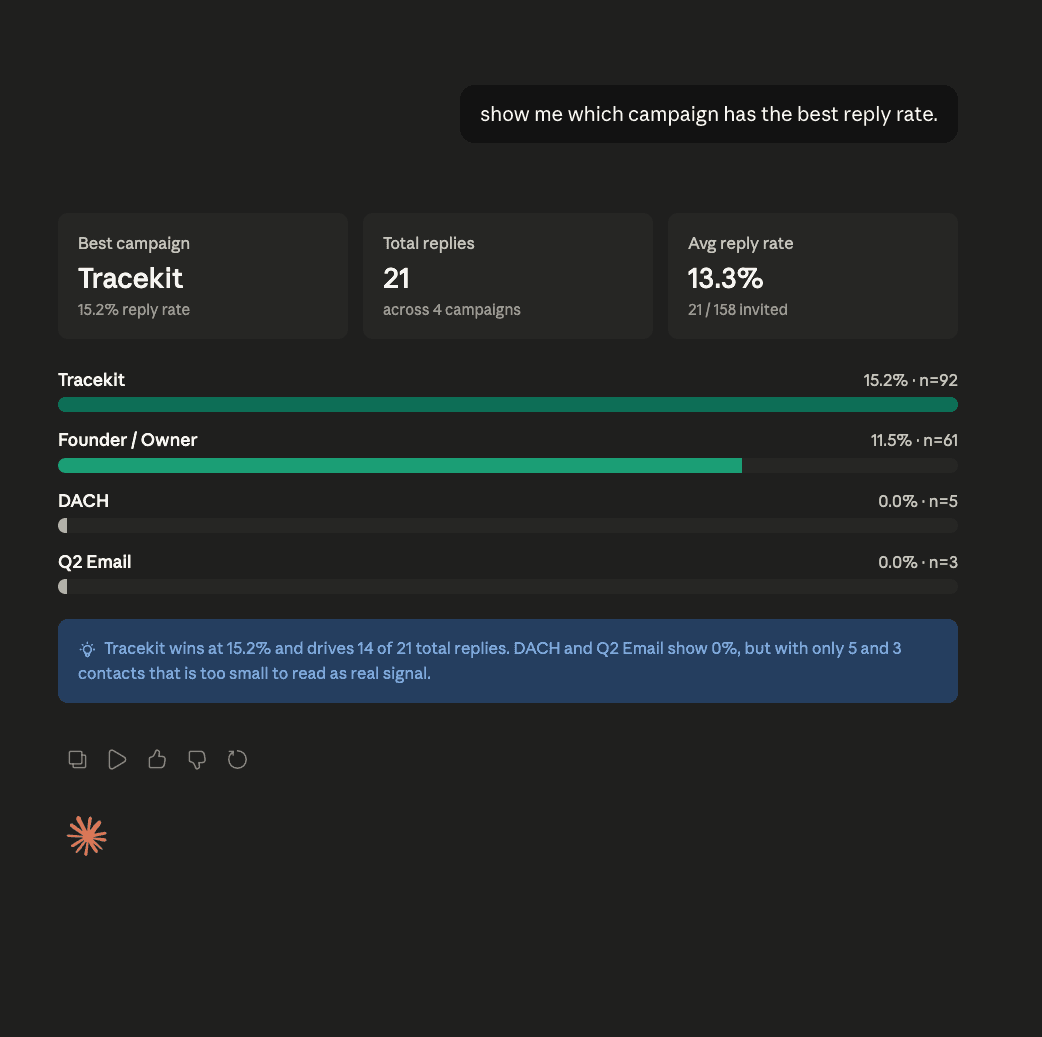
“show me which campaign has the best reply rate.”
Claude MCP outreach
Ask what is working, where to focus, which segment to target, and what to write next. Funkel brings the campaign data and keeps live sending inside your outreach workflow.
01
“show me which campaign has the best reply rate.”
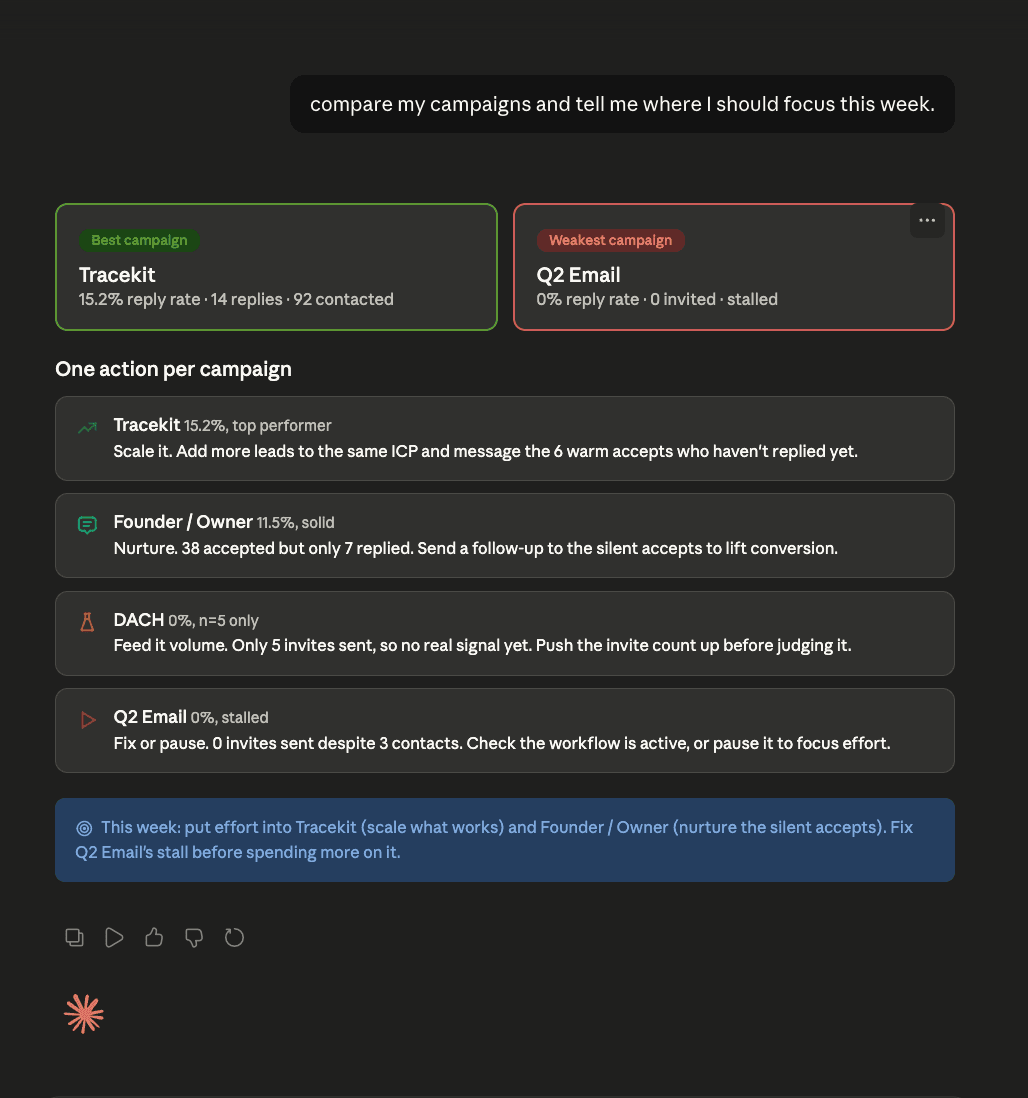
02
“compare my campaigns and tell me where I should focus this week.”
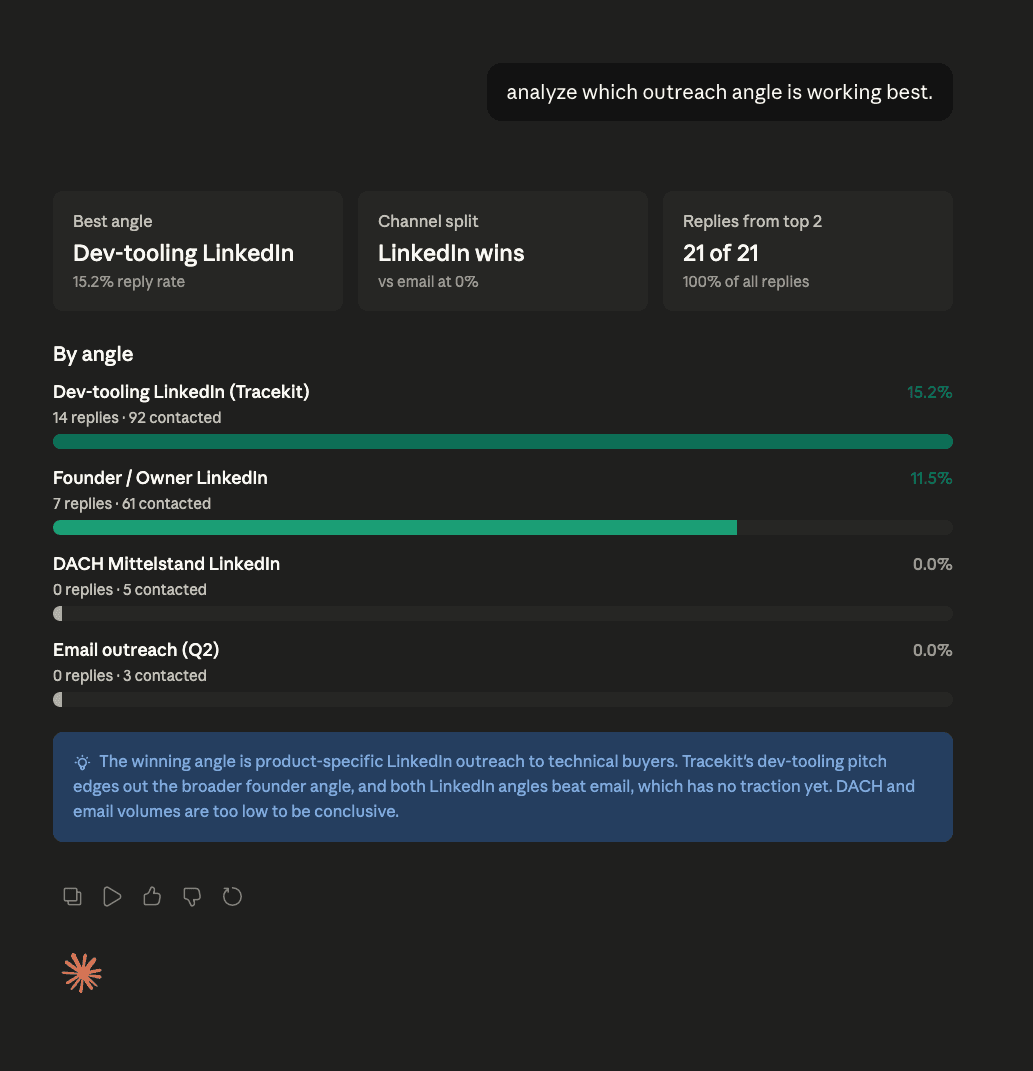
03
“analyze which outreach angle is working best.”
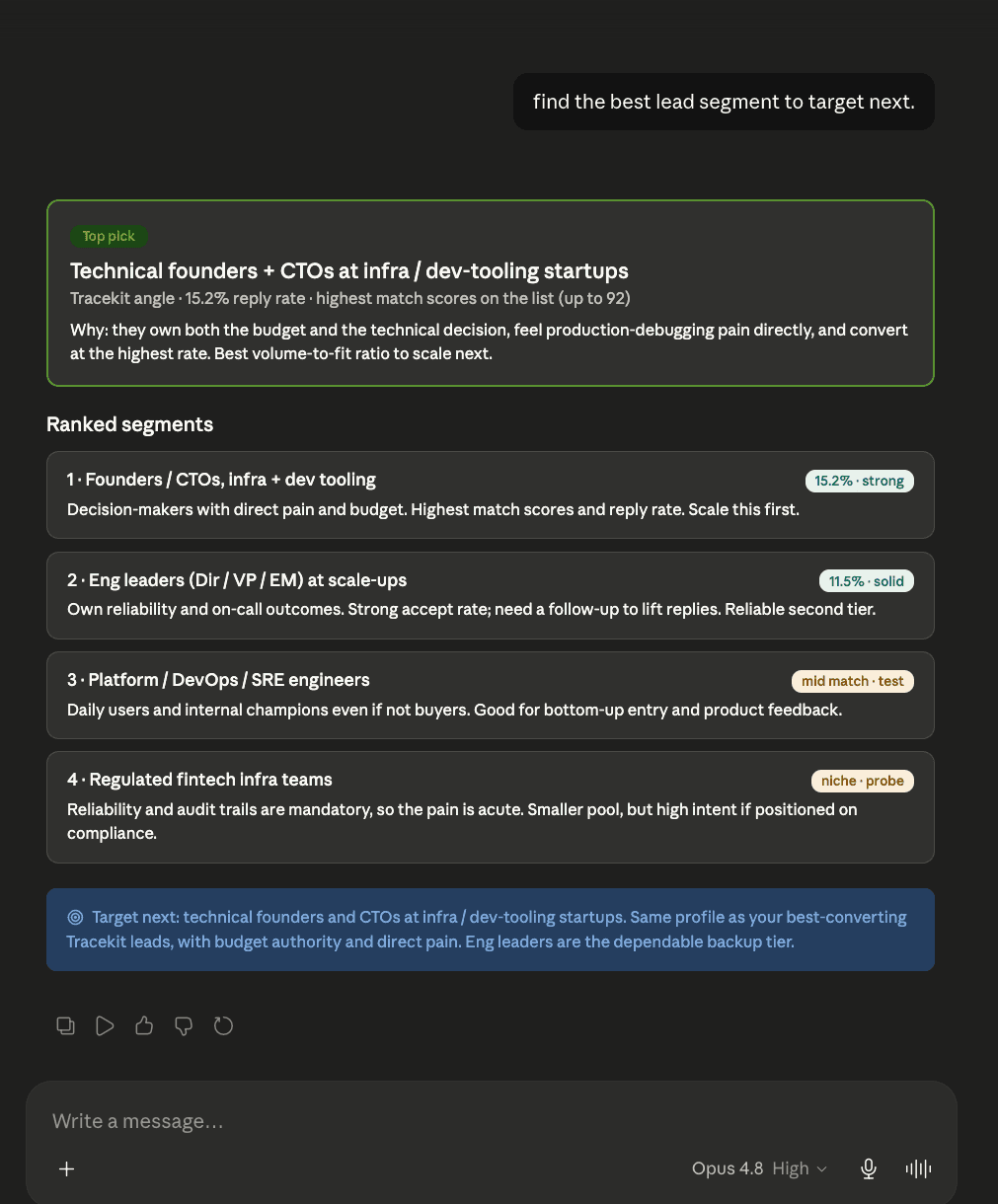
04
“find the best lead segment to target next.”
2 minute setup
Copy the MCP URL from Funkel, create a personal access token, and add Funkel as a custom connector in Claude.
Read the help articleOpen Funkel Settings -> MCP and copy the server URL.
Generate a personal access token from Settings -> Security.
Add Funkel as a custom connector in Claude and authenticate with the token.
Turn on the Funkel connector in a Claude conversation and ask for campaign context.
Safety model
Claude can inspect, analyze, and draft. Live sends stay in Funkel, where sender limits and approval rules are visible.
No. Claude can inspect, draft, and prepare work. Live sends stay inside Funkel workflows with sender limits, approval mode, and follow-up stops.
No. Claude connects to Funkel through a personal access token. Your LinkedIn sender remains connected inside Funkel.
Ask which campaign is working, where to focus this week, or which lead segment to target next. Those prompts prove the connector is reading the right workspace.
Ready when your workspace is