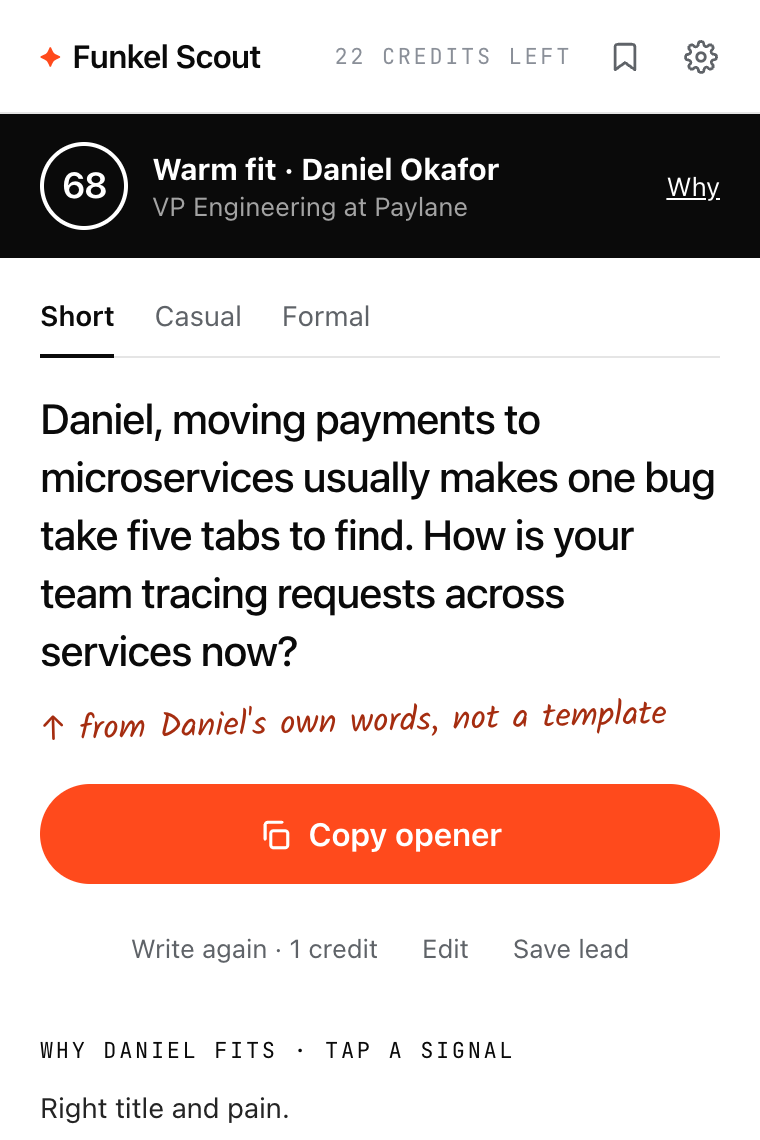
Every signal shows its quote.
Tap a signal to see the exact words from the profile. Risks are marked, so you check them first.
Open full-size image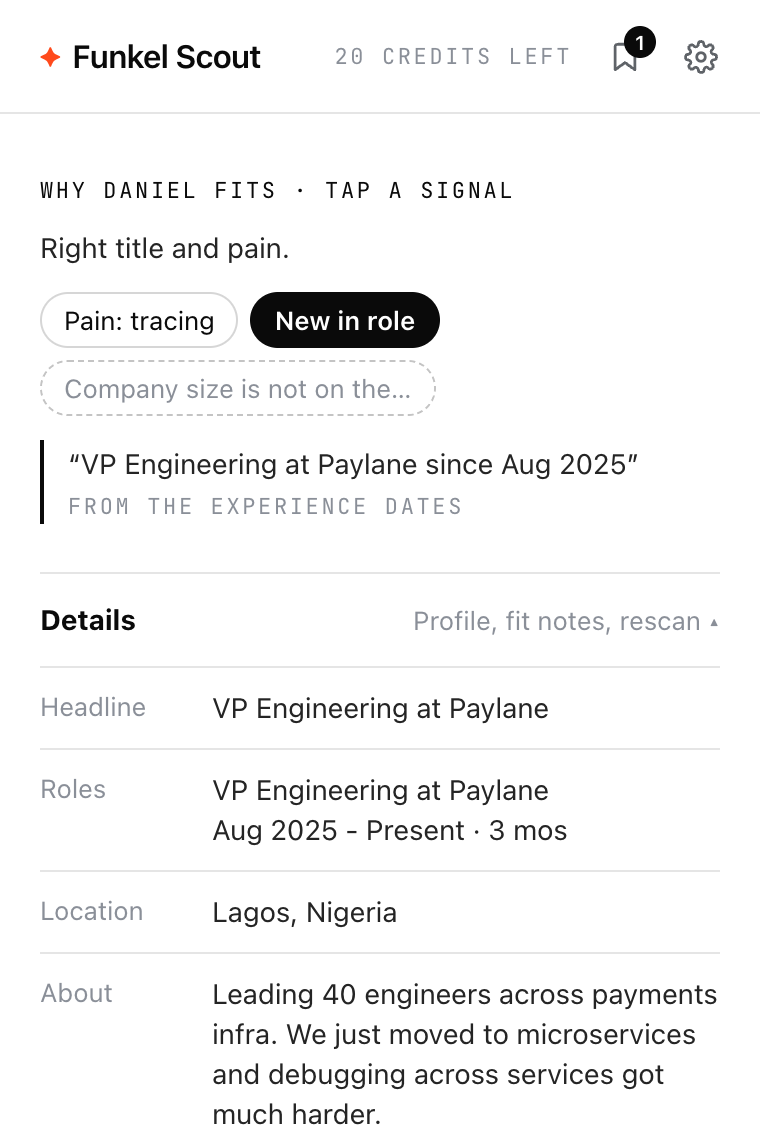
Keep a shortlist.
Save the leads you want. Copy the openers or export a CSV that fits the Funkel AI people import.
Open full-size image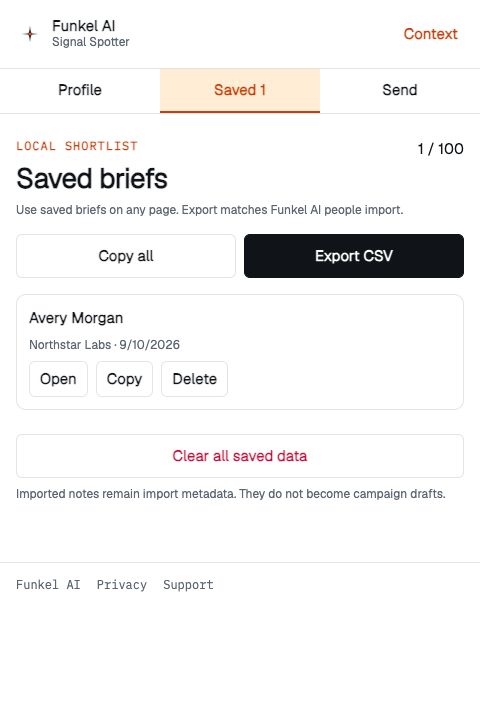
How it works
- Paste your website. Funkel Scout learns what you sell and who buys it. This is the only setup.
- Open a LinkedIn profile. The side panel shows the person. Click Check.
- Copy the opener. Read the score and the proof, pick a tone, and paste the message in LinkedIn.
You stay in control
- Nothing goes to the server before you click Check.
- It does not send messages or connection requests.
- It reads only the profile in your active tab, and only while the panel is open.
- Local mode makes no server calls: a template opener, made in your browser.
Your data
When you click Check, the extension sends the visible profile and your buyer profile to Funkel Scout. Funkel Scout returns the score and the opener and does not store the profile text or the opener.
When you click Upgrade or Send your leads, Funkel Scout sends your buyer profile and saved leads to Funkel Engine and gives you a Funkel AI link. If you do not use the link, it expires after 7 days and the data is deleted in our next daily cleanup. After Funkel AI imports the leads, Funkel Engine keeps its copy for 24 hours in case the import must be retried, then deletes it in the next daily cleanup.
Saved leads stay encrypted in your browser. Delete one lead, or all local data, in the extension. We do not sell data or use it for ads. Read the Funkel Scout extension privacy policy or contact [email protected].
Frequently asked questions
What does Funkel Scout do?
It scores a LinkedIn profile against your buyer from 0 to 100, shows the reasons with quotes from the profile, and writes a first message. You copy the message and send it yourself.
What is the difference between this page and the Chrome extension?
On this page you paste profile text. The extension reads the LinkedIn profile that is open in your tab, so you click once. Both use the same buyer profile when you sign in.
Is it free?
Yes. You get 5 free credits with no account and no card. A check costs 2 credits: 1 for the score and 1 for the opener. Sign in with Google or LinkedIn for 25 credits a month, free.
Which languages does it support?
The extension reads LinkedIn in English, German, French, Spanish, Portuguese, Italian, and Dutch. It writes the opener in the language of your LinkedIn.
Does it send messages for me?
No. Funkel Scout does not send messages or connection requests, and it does not collect profiles in bulk.
What happens to the profile data?
The extension sends a profile only when you click Check. Funkel Scout does not store the profile text or the opener. Local mode in the extension makes no server calls at all.