Sales trigger events: 8 examples and an alert audit
Learn eight sales trigger event examples, then audit 20 alerts for source proof, buyer fit, freshness, and a safe next action.
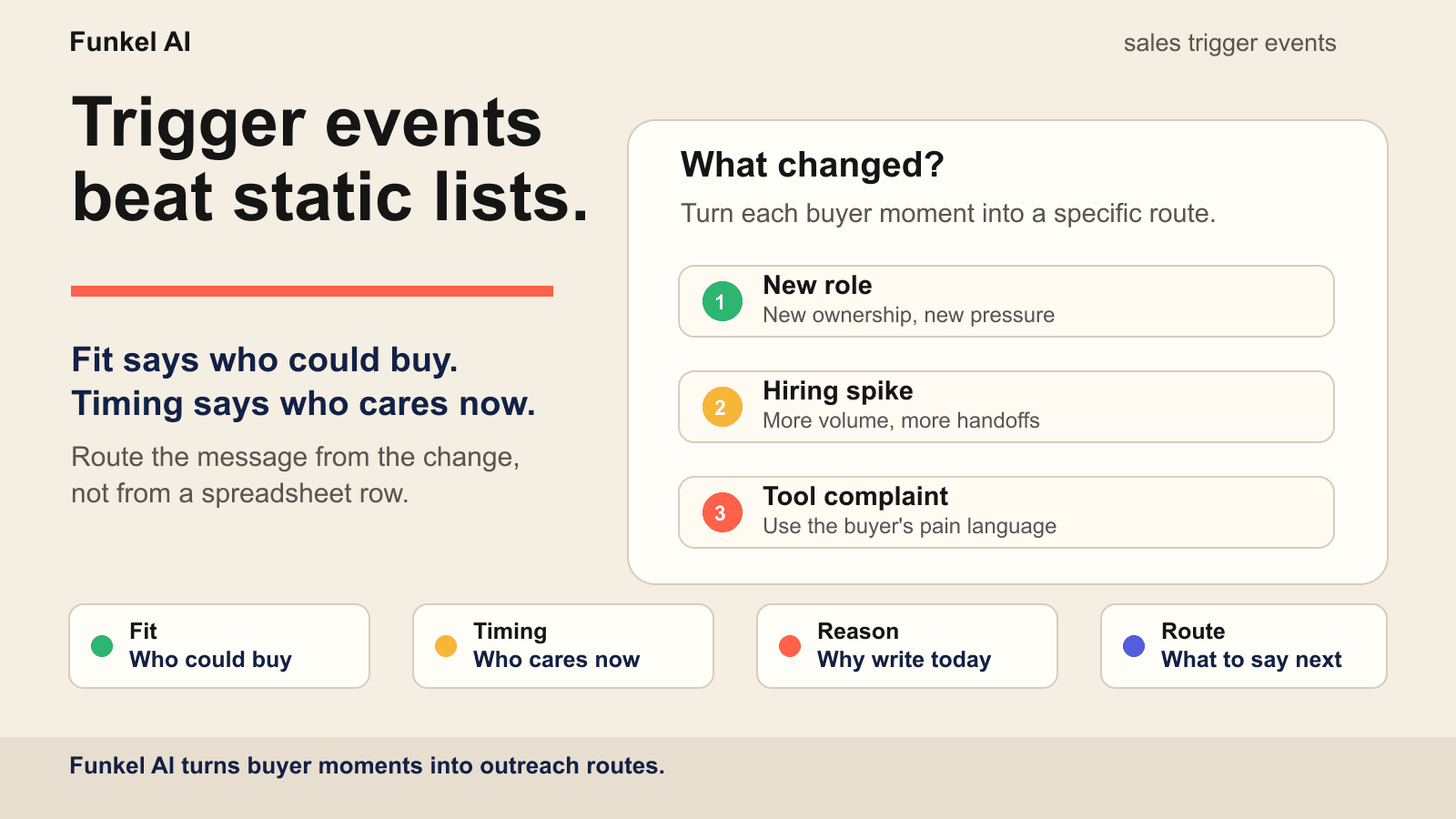
Sales trigger events are observable changes in a person, company, technology stack, or market that create a timely reason for sales research or outreach. A useful event tells you what changed, who owns the resulting work, how fresh the evidence is, and which next action the evidence actually supports.
That is the part most outbound teams miss. They collect job titles, company size, and a long list of accounts, then send the same message to everyone. Fit explains who could buy. A trigger event explains why the conversation might work this week.
Sales trigger events vs buyer intent signals
A buyer intent signal is any clue that a person or company may be moving toward a purchase. A sales trigger event is the specific moment that creates a reason to act. The distinction matters because signals are easy to collect and easy to overuse.
A profile view is a signal. A new VP of Sales joining a team and posting about rebuilding pipeline is a trigger event. A like on a category influencer’s post is a signal. A founder asking for Apollo alternatives after a failed migration is a trigger event. Read our broader guide to buyer intent signals for the full fit-strength-timing framework, or use the LinkedIn intent signals field guide for channel-specific sources. This article focuses on the moments that deserve action.
A practical sales trigger event taxonomy
Group trigger events by the kind of change they reveal. This keeps a team from treating every notification as intent and makes reporting useful: you can compare replies from people changes against replies from company, technology, or market changes.
| Trigger category | Common examples | What it may change | Useful message route |
|---|---|---|---|
| People | New role, promotion, new responsibility | Ownership, priorities, process review | Connect the inherited job to one likely pressure |
| Company | Hiring spike, funding, expansion, restructuring | Capacity, budget, handoffs, urgency | Show the operating consequence of the change |
| Technology | Tool complaint, migration, new integration | Workflow fit, cost, reliability, switching risk | Mirror the stated tradeoff and offer a fair comparison |
| Market | Product launch, new segment, competitor move | Positioning, buyer list, message, route to market | Connect the new audience to one GTM bottleneck |
| Engagement | Relevant question, profile view, meaningful comment | Awareness and permission for a shorter opener | Continue the public context with one useful question |
The category does not prove intent by itself. It tells you what to verify next. For a deeper view of how research, scoring, routing, and stop rules work together, see our guide to outbound sales automation.
Copy this sales trigger event template
Use one record for each event. An alert is a source event, not a finished sales conclusion. Copy the fields below into your CRM or research sheet. Preserve the observation before you add an interpretation.
LinkedIn's current Sales Navigator alerts documentation shows the breadth of native events a seller can receive: company posts, job growth, fundraising, mergers, senior hires, role changes, profile views, and content engagement. Those alerts are useful inputs. They still need a record that distinguishes what LinkedIn observed from what your team believes the change means.
| Field | What to record | Why it matters |
|---|---|---|
| Observed fact | The event exactly as the source presents it | Keeps evidence separate from inference |
| Source | The public URL, native alert, or first-party record | Makes the change verifiable |
| Evidence grain | Person, account, or anonymous activity | Stops account activity becoming a claim about one buyer |
| Captured and expires | When you saw it and when the route must be reviewed | Prevents stale triggers from continuing to send |
| Owner and hypothesis | Who may own the work and what might have changed | Labels the business interpretation honestly |
| Next action | Wait, research, respond, or outreach | Keeps the route proportional to the evidence |
A complete record can stay short. For example: Observed fact: the company published three RevOps roles; Source: the current careers page; Grain: account; Hypothesis: lead routing work may increase; Expiry: re-check before contact; Route: identify the owner before outreach.
From verified event to proportional action
Stronger evidence can justify a stronger route. A company-level alert may justify research. A first-person problem statement may justify a response. An explicit request for alternatives may justify direct outreach. The event should never make the route stronger than the evidence.
| Evidence state | Example | Proportional route |
|---|---|---|
| Unverified clue | A third-party detector reports a technology change | Research the source and current stack |
| Verified account event | A saved account increases relevant job postings | Watch for execution and identify the owner |
| Verified person event | A relevant buyer starts a new role | Research the remit before connecting |
| First-person problem | A buyer describes a workflow failure publicly | Respond to the stated problem without escalating the claim |
| Explicit evaluation | A buyer asks for alternatives or implementation advice | Offer the smallest useful comparison or next step |
If you need to make that routing decision consistently, use the buyer intent signal prioritizer to compare fit, evidence strength, timing, and the next action before a lead enters a campaign.
Eight sales trigger event examples worth watching
1. Role changes
A new executive, new head of growth, new RevOps lead, or new founder hire can create a useful reason for research. The person may be reviewing inherited tools, people, process, or reporting, but the title does not prove any of those projects. Your message should not congratulate them and pitch. It should connect verified ownership and current work to a problem the role actually carries.
Good route: “new role, new pipeline pressure.” Bad route: “saw you started a new job, want to buy my tool?”
Use the guide to job changes as a sales trigger event to separate a former champion, new owner, promotion, and backfill; verify the source and freshness; and choose a route without treating a role alert as buyer intent.
2. Hiring spikes
Current job openings can show where a company expects work to increase. Three sales development roles, two lifecycle marketing roles, or a RevOps role may point to new coordination and routing work. Verify that the roles are current before you infer execution.
Good route: “team growth creates coordination risk.” Bad route: “noticed you are hiring, we help hiring teams.”
Funding is useful when it explains why that execution may start, but it is not the execution itself. Use the guide to funding announcements as a sales trigger to separate a verified capital event from stated allocation, current ownership, active work, and person-level buyer context.
3. Tool complaints and competitor pain
Public complaints about a competitor are small but valuable. They often contain the buyer’s actual language: too expensive, hard to set up, bad data quality, weak personalization, too much manual cleanup. Use that language carefully. Do not dunk on the competitor. Mirror the problem and offer the next useful step.
Good route: “you named the exact tradeoff we built around.” Bad route: “our tool is better than the one you hate.”
Use the guide to competitor dissatisfaction as a buyer intent signal to separate a review, support request, resolved incident, recurring limitation, migration question, and active alternative search; then verify fit, ownership, and the smallest justified route.
4. Product launches and new markets
Launches create fresh go-to-market pressure. A team entering a new segment needs new positioning, new lists, new messaging, and new feedback loops. If your product helps with one of those problems, the launch gives you a real reason to start the conversation.
Good route: “new market, new buyer list.” Bad route: “congrats on the launch, can we book a call?”
Use the guide to product launches as a sales trigger event to verify the release state, actual availability, visible execution, operating consequence, current owner, and event-state timing before company news becomes a message.
If the change is specifically a new geography, segment, vertical, or route to market, use the guide to market expansion as a sales trigger to verify the target market, entry state, execution evidence, operating consequence, and current owner before outreach.
5. Technology adoption and migration
A new tool, integration, pilot, migration, or retirement can change workflows, ownership, and risk. A detector alert or technology name is only a clue: it may be stale, limited to one property, requested as a job qualification, or present without meaningful use.
Good route: “verified implementation, current workflow consequence.” Bad route: “we detected your stack, so you must need our tool.”
Use the guide to technology adoption as a sales trigger to verify the source, company property, evidence state, workflow, current owner, relationship, and expiry rule before a stack change becomes outreach.
6. Warm engagement
Someone who viewed your profile, engaged with your company post, or replied to a founder’s public thread has already crossed the first attention threshold. This does not mean they want a pitch. It means your opener can be shorter and more contextual. The job is to hand off from the public moment to a private question.
The mechanics of that first private sentence matter. The short version is in our guide to connection notes that get accepted: cite the signal, skip the generic greeting, and end with a question.
7. Partnerships and integrations
A partnership or integration announcement can create new ownership, handoffs, enablement work, and reporting needs. The announcement does not prove active implementation. Verify the commitment, current stage, named teams, and visible execution before you infer a problem.
Good route: “defined partnership, verified operating handoff.” Bad route: “you announced a partner, so you must need our tool.”
Use the guide to partnership announcements as a sales trigger to separate promotional language from a defined commitment, operating execution, owned consequence, and justified next action.
8. Event and webinar questions
Attendance alone is weak evidence. A question, stated problem, agreed follow-up, or first-person implementation detail creates a stronger route. Keep the interaction attached to the person who supplied it. Do not turn an attendee list into implied buying intent.
Good route: “your question named this implementation gap.” Bad route: “you attended our event, so let us book a demo.”
Use the guides to event attendance and webinar engagement to separate registration, participation, attributable interaction, operating context, and an explicitly requested next step.
Audit 20 sales trigger alerts before you scale outreach
An alert feed can look useful while most alerts fail at the same step. Review 20 consecutive alerts from one source. Keep weak alerts in the sample so the audit shows what the feed usually produces.
Copy this row for each alert: source URL or native alert | observed event | event date | buyer fit: yes/no | evidence grain: person/account/unknown | current proof: yes/no | likely owner: resolved/unresolved | route: wait/research/respond/outreach | sender: connected/unavailable | message review: pass/fail | reason for that route. Keep the observed event separate from your explanation.
- Relevant alerts: count records where the account and likely buyer fit your approved profile. If few fit, narrow the saved search or change the source.
- Verified events: count records where the original source and event date still support the fact. If few pass, repair source capture or shorten the review interval.
- Resolved owners: count records with a current person or team that owns the related work. If ownership is unclear, keep the account in research.
- Actionable routes: count records where evidence supports a clear wait, research, respond, or outreach step. If the route is vague, rewrite the rule and review the event again.
- Outreach-ready routes: count records where fit, proof, owner, sender, and message review all pass. If few pass, do not send from the alert feed yet.
Include only records that passed every earlier check in each count. Use 20 as the denominator for every count. Then inspect the first stage where records drop out. If most alerts fit but few have a current source, better message copy will not fix the feed. If proof is strong but ownership is unclear, identify the person before choosing a channel.
LinkedIn's Sales Navigator alerts guide lists saved lead and account updates. An alert names a change. It does not confirm the buyer, current project, or right to contact. For a broader plan, see the LinkedIn prospecting strategy guide.
How fresh is a sales trigger event?
There is no universal buying window. A public question may decay in days. A role change may stay relevant for weeks. A market expansion may unfold over months. The source and the underlying work decide whether the event remains useful.
LinkedIn says bookmarked Sales Navigator alerts are retained for 60 days. That is a product-retention window, not a buying window. Your expiry rule should reflect the event itself and require fresh verification when the underlying work may have moved on.
- Re-open the source. Confirm that the event still exists.
- Re-check the owner. Confirm that the same person or team owns the work.
- Look for execution. Find a current role, launch, migration, question, or public update.
- Re-approve the route. Move stale or uncertain records back to research or review.
This is why Funkel AI is built around timing, not list size. A lead can be a perfect fit and still be wrong for today. The trigger tells the agent whether there is a reason to write now. The message still needs to match the reason; we cover that choice in when to use AI-personalized vs manual messages.
How to route each trigger into the right message
Do not use the same opener for every trigger. The whole point of a trigger event is that it changes the angle.
- Role change: reference the new ownership or pressure, not the LinkedIn announcement itself.
- Hiring spike: connect growth to operational load, handoffs, or process debt.
- Competitor pain: mirror the buyer’s problem language and offer a clean comparison.
- Launch: connect the new audience to a specific go-to-market bottleneck.
- Warm engagement: keep it short and move from the public interaction to one relevant question.
- Partnership: reference the verified handoff or implementation stage, not the announcement alone.
- Event or webinar: use the person’s question or agreed follow-up, not attendance as implied intent.
If a trigger does not change the opener, it probably should not be a trigger. It is just a filter.
Sales trigger event examples: from evidence to opener
The event is not the message. The route comes from the operational consequence behind it. These examples show the difference between repeating a public fact and using that fact to ask a relevant question.
| Evidence | Weak opener | Better route |
|---|---|---|
| New VP of Sales says pipeline quality is the first priority | “Congrats on the new role.” | “You mentioned pipeline quality first. Are reps still qualifying from static lists, or do they see why each account moved now?” |
| Company is hiring its first three SDRs | “Saw you are growing the sales team.” | “Three SDR hires usually turn lead routing into an ownerless job. Who decides which accounts deserve action before the reps start?” |
| Founder asks publicly for an Apollo alternative | “We are better than Apollo.” | “You called out list cleanup and weak timing. Is the replacement decision mostly about cleaner data, or about knowing which leads have a reason to care?” |
| Product launches into a new vertical | “Congrats on the launch.” | “A new vertical changes more than the list. Are you rebuilding the signal mix too, or carrying the old segment’s triggers into the launch?” |
| Company publishes a current migration guide for a new tool | “We detected your technology stack.” | “Your migration guide names data cleanup as an ownerless step. Has one team taken responsibility for it?” |
| Buyer asks how to preserve source context during handoff | “Thanks for engaging with our post.” | “Your handoff question stood out. Does the source disappear when a lead moves into your current campaign workflow?” |
| Partner launch names joint account ownership and reporting | “Congrats on the partnership.” | “The joint-account model puts source and follow-up context across two teams. Where does that handoff live today?” |
| Webinar attendee asks about resolving anonymous community leads | “Saw you attended our webinar.” | “You asked where identity checks should stop. Do unresolved leads stay in review in your current process?” |
A simple trigger-event workflow
Start smaller than you want to. Pick one buyer profile and two triggers. For example: B2B SaaS founders with a fresh launch, and growth leaders who recently posted about outbound tooling. Write one route for each trigger. Then track replies by trigger, not just by campaign.
- Define the buyer: role, company type, market, and problem.
- Pick two trigger events that create real timing pressure.
- Capture the source, observed fact, evidence grain, and date.
- Verify the likely owner and label the business hypothesis.
- Set an expiry rule and choose wait, research, respond, or outreach.
- Review the first 20 routes, then keep the trigger that produces useful conversations and pause the one that only looks clever.
Funkel AI follows the same logic in product. You paste the URL of what you are taking to market, review the buyer profile, choose a signal mix, and let the agent find moments where the fit and the timing overlap. The broader setup is explained on why Funkel AI exists, and the hands-on version is in the signal-mix playbook.
Common mistakes
Using funding as the whole reason
A funding round confirms that capital was raised. It does not confirm budget for your category, a current project, or the right owner. Look for a specific operating change, such as a new market, hiring plan, sales motion, or compliance requirement, before you choose a route.
Confusing activity with intent
A person who posts every day is active. That does not mean they are buying. Look for activity attached to a problem, change, or decision.
Letting old triggers keep sending
The easiest way to make signal-based outbound feel like spam is to keep contacting people after the reason has expired. Old triggers should drop into nurture or wait for a new event. They should not keep pushing the same sequence.
FAQ
What is an example of a sales trigger event?
A new VP of Sales joining a company, a hiring spike for outbound reps, a public complaint about a competitor, a product launch, a technology adoption or migration, or meaningful warm engagement can all be sales trigger events. The best examples create a clear, current reason to research or write.
Are sales trigger events the same as intent data?
No. Intent data is the broader category. A sales trigger event is the actionable moment inside that data. Good outbound needs both: fit to decide who matters, and a trigger to decide why now.
How many trigger events should a campaign use?
Start with two or three. More triggers make reporting messy and often hide which reason is actually producing replies. Once one trigger is stable, add another.
What makes a sales trigger event actionable?
An actionable trigger has a verifiable source, a clear person or account, a captured date, an evidence grain, a plausible owner, an expiry rule, and a next action that is proportionate to what the evidence actually proves.
How long do sales trigger events stay useful?
There is no universal window. A public question may decay in days, a role change may stay relevant for weeks, and a market expansion may unfold over months. Set an expiry rule for each trigger and re-verify the underlying work before outreach.
How do you write outreach from a sales trigger event?
Start with the verified fact, connect it to one plausible operating consequence, and ask one relevant question. Do not turn a public event into an unsupported claim about urgency, budget, priorities, or buying intent.
How do you audit sales trigger alerts before outreach?
Review 20 consecutive alerts from one source. Record the source, event date, buyer fit, evidence grain, likely owner, and next action for each. Count verified events, resolved owners, and outreach-ready routes separately. Fix the first failing stage before expanding the alert feed.
Read next
- How to use LinkedIn for sales prospecting: 7 stepsUse standard LinkedIn people search to test a buyer pool, then follow a 7-step prospecting workflow and audit 20 profiles before outreach.
- How to use LinkedIn Sales Navigator for prospecting: 7 stepsUse a seven-step Sales Navigator workflow, audit 20 leads, fix poor search results, and separate saved searches from lead alerts and outreach routes.
- Best B2B intent data providers: 9 options compared for 2026Compare nine B2B intent data providers by signal grain and evidence. Use a 25-account scorecard to test a shortlist.