Outbound sales automation tools: 6 compared by intent signals
Compare six outbound sales automation tools by intent signals, evidence, route control, CRM handoff, repair time, and complete cost.
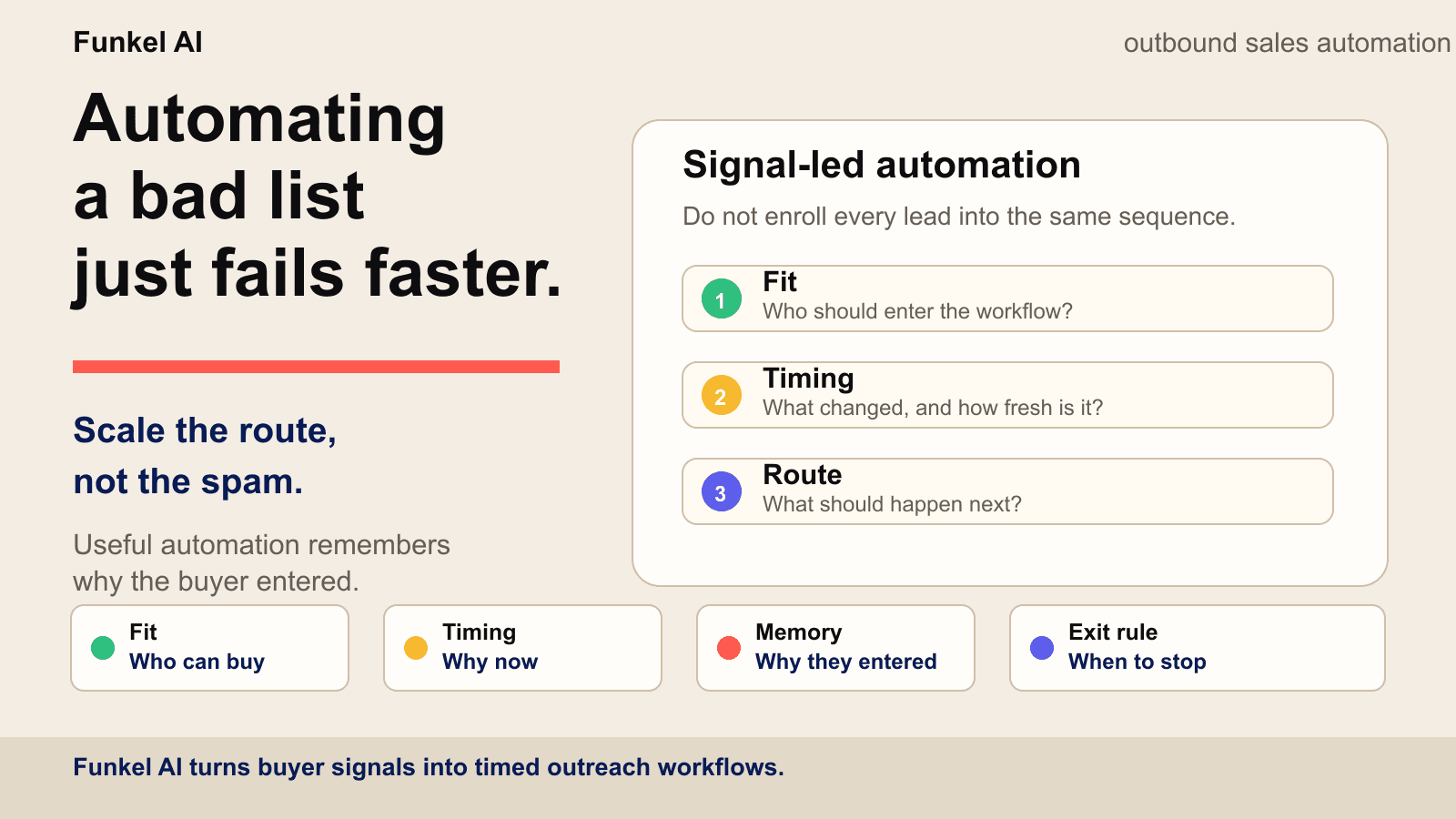
AI-powered outbound sales automation uses software, models, and workflow rules to find and qualify prospects, choose the next action, draft or execute outreach, preserve context, and stop when the reason for contacting a buyer is no longer valid. For a small team, the best tool is not the one with the longest AI feature list. It is the one that owns the weakest job in the workflow while keeping its evidence, review points, and stop rules visible.
This guide compares six AI-powered outbound sales automation tools by the job they own: buyer signals, contact data, enrichment, LinkedIn execution, cold-email infrastructure, and CRM handoff. We reviewed the vendors’ public product and pricing pages on September 9, 2026. We have not run a controlled hands-on test of every product, so this is a workflow-fit guide rather than an independent performance ranking.
The short answer: which AI outbound sales tool is best?
- Funkel AI: best for lean B2B teams that want buyer signals, visible reasons, and LinkedIn, X, or email outreach in one controlled workflow.
- Apollo: best for teams that want a large contact database and sales engagement in the same product.
- Clay: best for operators building custom account research, enrichment, and GTM data workflows.
- HeyReach: best for teams that already know whom to contact and need focused LinkedIn execution.
- Smartlead: best for cold-email teams whose main problem is sender infrastructure, deliverability, and campaign scale.
- HubSpot Sales Hub: best for CRM-first teams that want prospecting, tasks, pipeline, and handoff in one system of record.
Small teams should resist buying all six. Name the gap first, then buy the smallest system that closes it without creating another source of truth.
What should AI automate in a small-team outbound workflow?
AI should compress research and coordination, not hide the decision. Test every tool against the five jobs below. If the system cannot show its input, review point, and stop condition, the automation is not ready for unsupervised volume.
| Job | AI can help | Evidence to keep visible | Human gate | Stop condition |
|---|---|---|---|---|
| Source | Find accounts, contacts, and current signals | Source URL, timestamp, and observed event | Approve new sources and sensitive data use | Unknown provenance or unusable data |
| Qualify | Compare fit, problem ownership, and timing | ICP criteria, exclusions, and supporting signal | Review ambiguous owners and edge cases | Poor fit, existing customer, or stale evidence |
| Route | Suggest channel, angle, owner, and next action | Why this route fits this buyer now | Approve new angles and consequential actions | No defensible reason or no safe channel |
| Execute | Draft, schedule, create tasks, and send within policy | Approved message, sender state, and channel limits | Review first sends and novel message types | Warning, rate limit, failed validation, or opt-out |
| Remember | Classify replies and recommend the next state | Original reason, full thread, and current status | Handle objections, commitments, and sensitive replies | Any reply pauses the old sequence |
The table is also a build-versus-buy test. A specialist tool can be the right choice when one job is broken and the surrounding evidence and stop state already live elsewhere. An all-in-one system is useful when it replaces enough seams to keep one accountable context chain.
How should outbound sales automation tools use intent signals?
An outbound sales automation tool should keep the original intent signal, confirm who owns the likely problem, choose only an eligible outreach route, and expire the reason when it becomes stale. A signal should change a decision. It should not become automatic permission to contact every person at an account.
Compare tools with one shared record instead of comparing the number of signal names on a feature page. Run the same recent event through each shortlisted product and record every field below before you approve a message.
Copy this intent-signal acceptance record
| Check | What the tool must preserve | Reject the result when |
|---|---|---|
| Source | Original URL or input, observed fact, and capture date | The result shows only a score or generated summary |
| Identity | Person, company, role, profile, and supporting evidence | A company event is assigned to an unverified person |
| Reason | The possible operating change and its confidence or limits | The tool turns an observed event into a claim about budget or urgency |
| Route | Eligible channel, required sender state, and approval owner | The source is treated as permission to use every channel |
| Expiry | Recheck date, stale state, reply stop, and opt-out stop | Old evidence or a buyer response leaves another route active |
| Handoff | CRM owner, written fields, reply sync, and repair owner | Nobody owns a failed write, duplicate record, or missing stop state |
Use five recent person-level signals, five company events without a confirmed owner, five stale or weak signals, and five records that must stop. This mix tests useful discovery, identity resolution, route control, and CRM handoff before higher volume hides the errors. The buyer intent signals guide explains how to separate evidence from an inference.
AI-powered outbound sales automation tools compared
| Tool | Primary job | Best fit | Published entry price reviewed | Main watchout |
|---|---|---|---|---|
| Funkel AI | Signal-led multichannel workflow | Founders and lean B2B teams | $99/month | Not a bulk contact warehouse or enterprise dialer |
| Apollo | Contact data plus engagement | Teams consolidating prospecting and sequences | Free tier; Basic $49/seat/month billed annually | Credits and add-ons make full cost motion-specific |
| Clay | Research and enrichment workflows | GTM operators who want flexible building blocks | Free tier; Launch shown at $167/month with annual billing | Flexibility requires workflow design and credit planning |
| HeyReach | LinkedIn execution | Teams and agencies running LinkedIn campaigns | Growth shown at $79/month per sender | Lead sourcing and qualification still need an owner |
| Smartlead | Cold-email sending infrastructure | Email-heavy outbound teams and agencies | Base shown at $32/month | Domains, mailboxes, verification, and data can add cost |
| HubSpot Sales Hub | CRM-centered sales automation | Teams already using HubSpot as their system of record | Free tier; Starter shown from €7/seat/month annually | Advanced automation, credits, and onboarding raise total cost |
These prices are not directly comparable: one product charges by sender, another by seat, another by credits or actions. Packaging changes often. Use the figures to understand the entry model, then verify the current first-party page and price the complete motion, including data, domains, mailboxes, credits, seats, and human review.
A 15-minute shortlist for a lean B2B team
Do not begin with vendor demos. Begin with the broken job. The table below turns the same six-tool comparison into a category shortlist, so a small team can avoid paying for a second database, sequencer, or source of truth it does not need.
| Your current bottleneck | Category to shortlist | Do not buy first | Proof to request in the demo |
|---|---|---|---|
| No reliable contacts or account coverage | Database plus engagement | A second execution-only sequencer | Coverage, verification method, credits, and CRM sync |
| Research and enrichment consume operator time | AI research and enrichment | More sending infrastructure | Source traceability, failure handling, and credit cost |
| Qualified leads exist but LinkedIn work is manual | LinkedIn execution | Another contact database | Limits, inbox state, approvals, warnings, and reply stops |
| Mailbox health and email operations are the constraint | Cold-email infrastructure | An intent platform that cannot fix delivery | Domain, mailbox, verification, warm-up, and suppression cost |
| Ownership, handoff, and reporting are fragmented | CRM-centered automation | An isolated enrichment table | Lifecycle ownership, workflow limits, credits, and onboarding |
| The team cannot explain who is worth contacting now | Signal-led multichannel workflow | More send volume | Source evidence, fit logic, route, review gate, and expiry |
A worked example: if the team already has verified contacts and a CRM but loses the reason a lead was prioritized, another database does not fix the bottleneck. Shortlist the signal-led or research layer, then confirm that its reason, reply, opt-out, and expiry state can return to the existing system of record. Use the small-team signal-led outbound playbook to test the resulting queue against real capacity.
Before the demo ends, answer six questions in writing: which job the product owns, which system remains authoritative, which evidence a rep can reopen, which actions require approval, which event stops every channel, and what the complete monthly motion costs. If two tools claim the same job, choose one owner or define a narrow handoff between them.
Run a 14-day proof test before you buy
A polished demo shows the best path. A proof test shows the repair work, blocked routes, and stop failures your team will own. Define the pass conditions before the test starts. There is no universal pass score. The tool must improve the bottleneck you named without moving hidden work into another system.
Use 20 records that force different decisions: five current person-level signals, five company events without a confirmed owner, five stale or ambiguous signals, and five records that must stop. Stop records can include an opt-out, an active reply, an existing customer, an open opportunity, or a route without the required identity or sender.
- Days 1 and 2: map the current workflow and record the baseline time, tools, and cost.
- Days 3 to 5: load the 20 test records and inspect every source, identity, fit decision, and proposed route.
- Days 6 to 9: approve only supported work, then record manual repair and every blocked action.
- Days 10 to 12: add replies, opt-outs, stale evidence, and sender limits. Confirm that all related work stops.
- Days 13 and 14: compare the result with the baseline and decide whether the tool removes the named bottleneck.
Copy this outbound automation test record
| Field | What to record | Failure to catch |
|---|---|---|
| Source proof | Exact source, observed fact, and date | A score or summary with no source to reopen |
| Identity | Person, company, profile, domain, and supporting evidence | A company event routed to an unverified person |
| Fit and current job | ICP match, likely owner, exclusions, and current operating work | A good-fit account treated as active buyer intent |
| Eligible route | Wait, research, respond, LinkedIn, X, email, or no action | A source treated as permission to use every channel |
| Approval and cost gate | Person who approves, estimated spend, and released action | Paid work or a consequential send starts without review |
| Stop state | Reply, opt-out, warning, bad data, stale evidence, or relationship | One channel stops while another keeps sending |
| Outcome | Useful work, false positive, repair minutes, and complete cost | A vendor metric replaces your test result |
Keep lead sources separate from outreach channels
A lead source starts work. It does not authorize a message. A public post, a Clay company row, or a CSV company list can start research and review. LinkedIn, X, and email become eligible only when the workflow has the required identity, evidence, relationship state, and connected sender. The Funkel AI source guide shows this boundary across current source types.
After 14 days, count useful leads, false positives, manual repair minutes, correctly blocked actions, stop failures, and complete cost. Do not mix vendor testimonials or unrelated benchmark results into the test. Choose the tool only when the measured result improves the job you planned to fix.
The five jobs in an outbound automation stack
Tool comparisons become easier when you separate the workflow into five jobs. A product may own several, but your team still needs one accountable owner for each.
- Source: find accounts, contacts, or current buyer signals.
- Qualify: confirm account fit, problem ownership, evidence, and exclusions.
- Route: choose the channel, message angle, owner, and next action.
- Execute: send, schedule, create tasks, and respect channel limits.
- Remember: preserve the reason, replies, opt-outs, and stop state across follow-up.
Most bad outbound stacks overinvest in execution and underinvest in qualification and memory. They can send from 30 mailboxes, but nobody can explain why a specific lead entered or whether the reason is still true. Start with the guide to B2B intent data providers when the sourcing layer is unclear, then use the free lead qualification scorecard to expose that gap before adding another sending tool.
1. Funkel AI: best for signal-led multichannel outbound
Funkel AI is built for founders, SDRs, agencies, and lean B2B teams whose bottleneck is deciding who is worth contacting now. Paste a product URL, review the generated buyer profile, choose signal sources, and see why each lead was selected before a campaign runs across LinkedIn, X, or email.
The strongest fit is a small team that wants source, qualification, route, execution, and reply context in one workspace without building a large RevOps stack. It is a weaker fit for teams that mainly need a giant contact database, an enterprise dialer, or high-volume cold-email infrastructure.
Funkel AI has public pricing at $99 per month. Signup is paid. You get your money back if Funkel AI finds no qualified leads in 30 days. There is no free trial.
2. Apollo: best for contact data plus sales engagement
Apollo combines contact and account search with sequences, email deliverability tools, calling, lead scoring, enrichment, workflows, and CRM integrations. That combination makes it a practical starting point when the team lacks both a prospect database and an execution surface.
The official sales-engagement page describes sequences across email, calls, and tasks, while the pricing page showed a free tier and Basic at $49 per seat per month billed annually during our review. Model the cost against the credits, intent topics, dialer, enrichment, and add-ons your motion will actually consume.
3. Clay: best for custom research and enrichment workflows
Clay is the flexible builder in this list. Its public page describes AI research with Claygent, multi-provider waterfalls, job-change and company signals, data-provider access, native sequencing, integrations, and CRM or warehouse workflows. It fits teams that want to design the data and research layer instead of accepting one vendor’s fixed model.
That flexibility is also the watchout. Someone must own table design, provider choice, credit use, failure handling, routing, and the sending integration. The official pricing page showed a free tier and Launch at $167 per month with annual billing during our review. The same page’s FAQ stated that Launch starts at $185 per month. Treat the lower card as annual-plan pricing, and confirm the selected billing period before comparing actions and data credits.
4. HeyReach: best for focused LinkedIn execution
HeyReach is a focused choice when the lead list and message logic already exist and the missing job is LinkedIn campaign execution. Its public pricing page lists unlimited campaigns, LinkedIn actions, a unified inbox, multichannel outreach, integrations, API access, and webhooks.
The official HeyReach pricing page showed Growth at $79 per month per sender during our review. The important question is upstream: who supplies and qualifies the leads, attaches the fresh reason, and prevents every campaign from becoming another static-list sequence?
5. Smartlead: best for cold-email infrastructure and scale
Smartlead centers cold-email operations: contacts, send volume, mailbox and domain options, warm-up, deliverability, unified inbox, verification, APIs, and agency workspaces. It fits teams that already understand their market and need a dedicated email engine rather than a general sales platform.
The official pricing page showed Base at $32 per month during our review. Treat that as the software entry point, not the full campaign cost. Domains, mailboxes, prospect data, email verification, and the people maintaining sender health remain part of the system.
6. HubSpot Sales Hub: best for CRM-centered automation
HubSpot Sales Hub is the CRM-first option. Its public pricing page combines contact and pipeline records with email, calling, task queues, intent signals, a prospecting agent, forecasting, conversation intelligence, and progressively deeper automation at higher tiers.
This fits a team that wants the outbound handoff, deal history, and reporting to remain inside HubSpot. During our Europe-based review, the official Sales Hub pricing page showed a free tier and Starter from €7 per seat per month billed annually. Professional and Enterprise introduced higher seat prices, credits, and required onboarding fees, so compare the complete tier needed for your workflow rather than the lowest card.
Three sensible stack patterns for a small team
One product owns the loop
Choose this when the team values speed and one source of truth more than maximum configurability. A focused platform such as Funkel AI can own buyer context, signals, routing, channels, replies, and learning. The tradeoff is accepting the product’s operating model instead of assembling every layer yourself.
Database plus enrichment plus execution
Choose this when an operator can maintain the seams. Apollo or another database supplies contacts, Clay enriches and routes them, and HeyReach or Smartlead executes by channel. This can be powerful, but duplicate records, credits, webhooks, stop states, and reply sync become your responsibility.
CRM first, specialist tools around it
Choose this when HubSpot or another CRM already governs ownership and reporting. Specialist tools source and execute, while the CRM remains authoritative for lifecycle stage, activity, opt-outs, and handoff. The design test is whether every external tool can reliably read and write the stop state.
How to choose an outbound sales automation tool
- Map the current workflow. Write how a lead moves from source to fit check, timing, route, send, reply, and CRM.
- Name the expensive gap. Find where people lose time, duplicate work, or lose context.
- Write hard exclusions first. Existing customers, active opportunities, opt-outs, poor-fit accounts, bad data, and stale signals must override automation.
- Choose one primary owner per job. Avoid two systems both deciding lifecycle stage, sender state, or campaign membership.
- Run a 20-lead test. Include strong fits, weak fits, ambiguous owners, stale evidence, and records that should stop.
- Inspect the context chain. Ask whether the reason survives into the route, message, follow-up, reply, and report.
- Price the whole motion. Include seats, credits, actions, contacts, domains, mailboxes, onboarding, integrations, and review time.
A 20-lead test is more revealing than a polished demo. For every lead, ask: why this account, why this person, why now, why this channel, and what makes the system stop? The free outbound workflow builder helps turn those answers into a reviewable sequence before any tool starts sending.
What should you automate first?
Automate repetitive, reversible work before external actions. Start with data cleanup, fit checks, signal capture, research, routing, reminders, and exit rules. Keep ambiguous qualification, sensitive replies, new message angles, and consequential sends reviewable until the pattern is proven.
Any inbound email should pause the old sequence before another touch is scheduled. The guide to email reply intent separates human questions, objections, timing requests, referrals, opt-outs, automated responses, and delivery notices so the system can answer, hold, reroute, suppress, or repair the right job.
The reason matters more than the send quota. A role change, hiring plan, competitor complaint, recommendation request, or warm engagement should change the route. Our guide to sales trigger events shows how to connect each event to a useful next action, while buyer intent signals explains how to separate timing from noise.
FAQ
What is outbound sales automation?
Outbound sales automation uses software, AI, and workflow rules to find and qualify prospects, route them into the right action, execute outreach, preserve context, and stop when a buyer replies, opts out, or the original reason expires.
What can AI automate in outbound sales?
AI can help research accounts, summarize evidence, score fit, suggest routes, draft messages, classify replies, and recommend follow-up. A safe workflow keeps evidence visible, lets people review ambiguous decisions and consequential sends, and stops on replies, opt-outs, stale signals, bad data, or account warnings.
What are the best outbound sales automation tools for small teams?
The best tool depends on the missing job. Funkel AI fits signal-led multichannel outreach, Apollo combines contact data and engagement, Clay supports custom research and enrichment, HeyReach focuses on LinkedIn execution, Smartlead focuses on cold-email infrastructure, and HubSpot Sales Hub centers the CRM handoff.
How do you automate outbound sales?
Map the existing workflow, identify the expensive gap, define hard exclusions and stop rules, choose one tool for that job, and test it on 20 real leads before expanding volume. Automate repetitive research and routing before automating irreversible sends.
Should a small team buy an all-in-one outbound platform?
Only when the all-in-one product owns the team’s actual bottleneck and replaces enough separate work to stay simpler. If one job is already solved, a focused tool may create less migration, duplicate data, and operational overhead.
How much do outbound sales automation tools cost?
Pricing ranges from free entry tiers to hundreds or thousands per month, depending on seats, credits, contacts, senders, channels, onboarding, and infrastructure. Compare the complete workflow cost and verify current first-party pricing before purchase.
How do you compare AI-powered outbound sales automation tools?
Compare the workflow job each tool owns, the evidence it keeps visible, the actions that require human approval, the events that stop every channel, the system of record it must sync with, and the complete monthly cost. Shortlist the category that fixes the current bottleneck before comparing feature counts.
How do you test an outbound sales automation tool?
Run a 14-day proof test with 20 records that include strong fits, company-only evidence, stale or ambiguous signals, and records that must stop. Track useful leads, false positives, manual repair time, blocked actions, reply and opt-out stops, and the complete workflow cost before you expand volume.
How should outbound sales automation tools use intent signals?
They should preserve the original source and date, confirm the person and company, explain what the signal supports, choose only an eligible route, and set expiry, reply, and opt-out stops. Test the same signal record in every shortlisted tool so feature counts do not hide weak identity, routing, or CRM handoff.
Read next
- How to use LinkedIn for sales prospecting: 7 stepsUse standard LinkedIn people search to test a buyer pool, then follow a 7-step prospecting workflow and audit 20 profiles before outreach.
- How to use LinkedIn Sales Navigator for prospecting: 7 stepsUse a seven-step Sales Navigator workflow, audit 20 leads, fix poor search results, and separate saved searches from lead alerts and outreach routes.
- Best B2B intent data providers: 9 options compared for 2026Compare nine B2B intent data providers by signal grain and evidence. Use a 25-account scorecard to test a shortlist.